Limit what subagents can do
A subagent works on its parent's authority. Prismor already holds it to the parent's rules, so it can never be looser than the agent that launched it. This guide goes further and sets three limits: how many subagents an agent may launch, how long one may run, and what data it may be handed. Each step below was recorded in a real Claude Code session.
You'll need
- A Prismor build with subagent limits, hooked into Claude Code (
prismor setup), or an SDK agent guarded by a Prismor adapter. They ship in the release after 1.65.4. Until then, install frommain:pipx install --force git+https://github.com/PrismorSec/prismor. - For step 5, an admin role in the console.
1. Cap how many subagents an agent launches
Add a rule to .prismor/policy.yaml:
version: "1.0"
rules:
  - id: one-subagent-per-session
    title: Launch at most one subagent per session
    severity: HIGH
    category: custom-authz
    event_types: [subagent_spawn]
    when: "subagent.number > 1"
    action: block
    mode: enforce
subagent.number says which of an agent's subagents a call belongs to. On a launch, it's the number the new subagent would get. One is a small cap, chosen so the demo hits it quickly. In practice you'd pick something like five.
Then ask Claude Code for two subagents at once:
The first subagent runs and reports back. The second launch is refused before the subagent starts. Claude Code tells you why and how to approve that one launch if you want it. Launches that run in parallel each reserve their own number, so starting several at once doesn't slip past the cap. A launch that some other rule refuses doesn't use up a number.
2. See why it was blocked
Open the dashboard (prismor dashboard) and click the session. The blocked launch shows the rule, and Condition that held shows the expression that decided it:
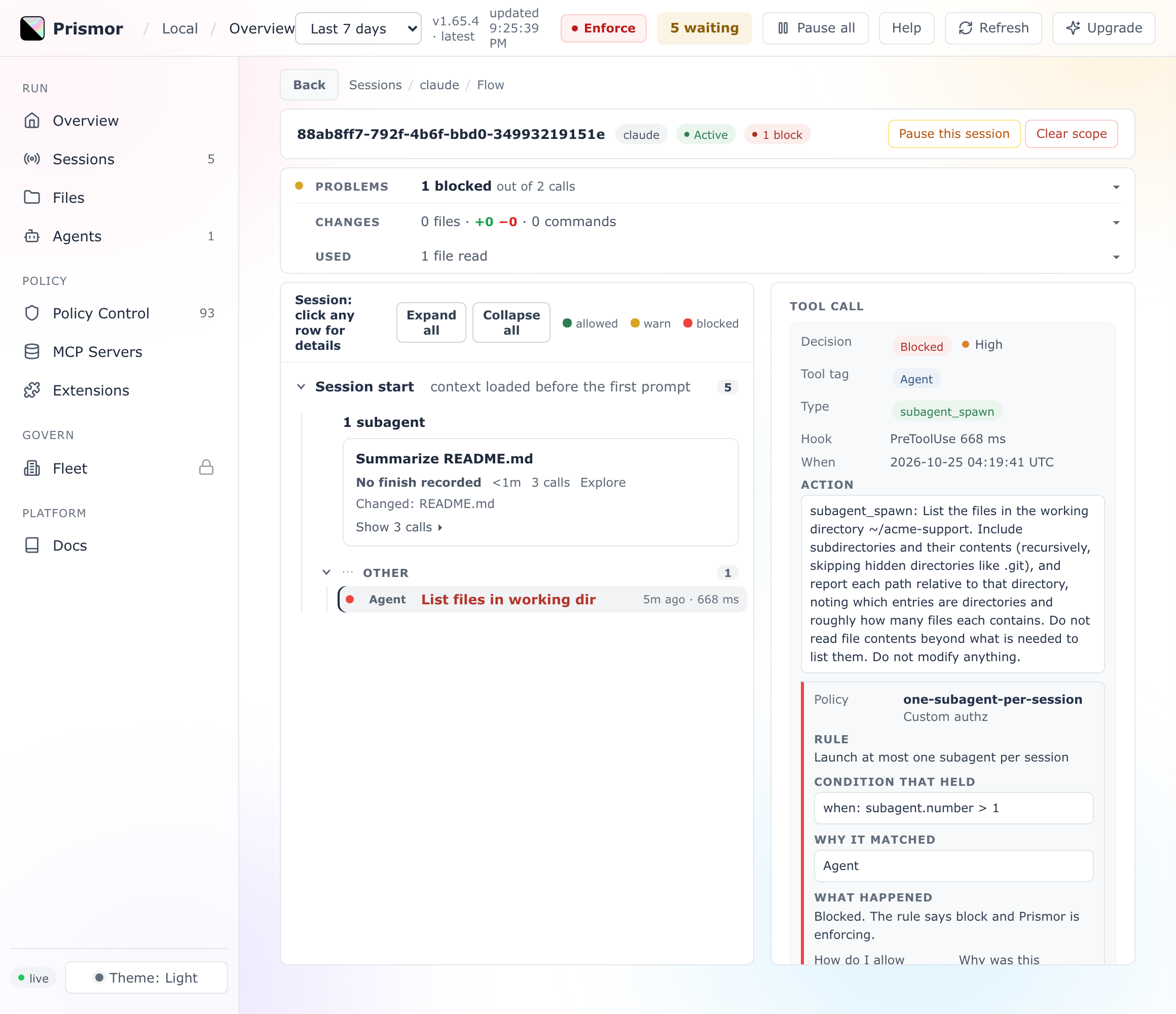
3. Let a delegation expire
A long-running subagent keeps its parent's authority for as long as it runs. To put a time limit on it, use subagent.age, the seconds since the subagent's first call:
  - id: subagent-expiry
    title: A subagent may run for at most 15 minutes
    severity: HIGH
    category: custom-authz
    event_types: [shell, network, file_read, file_write]
    when: "subagent.age > 900"
    action: block
    mode: enforce
When the time is up, the subagent's calls are blocked and it has to report back. The parent can launch a fresh subagent, which starts again at zero. To give one kind of work more time, add its type: subagent.age > 900 and subagent.type != 'migration-runner'.
4. Screen what a subagent is handed
A subagent works from what its parent puts in its prompt. If that includes a customer's email address or an API key, the subagent can pass it on with tools the parent never used. The data boundary sets what may be handed over, data class by data class:
settings:
  data_boundary:
    enabled: true
    mode: enforce
    handoffs:
      secret: block
      email: block
      per_subagent:
        billing: {email: allow}
Now ask for a subagent and tell Claude Code to put a customer's email in its prompt:
The launch is blocked with pii-to-subagent. The message offers three ways forward: approve this one launch, allow email for that subagent type under per_subagent, or hand over a reference such as a ticket id instead of the address. The dashboard shows the finding with the value masked:
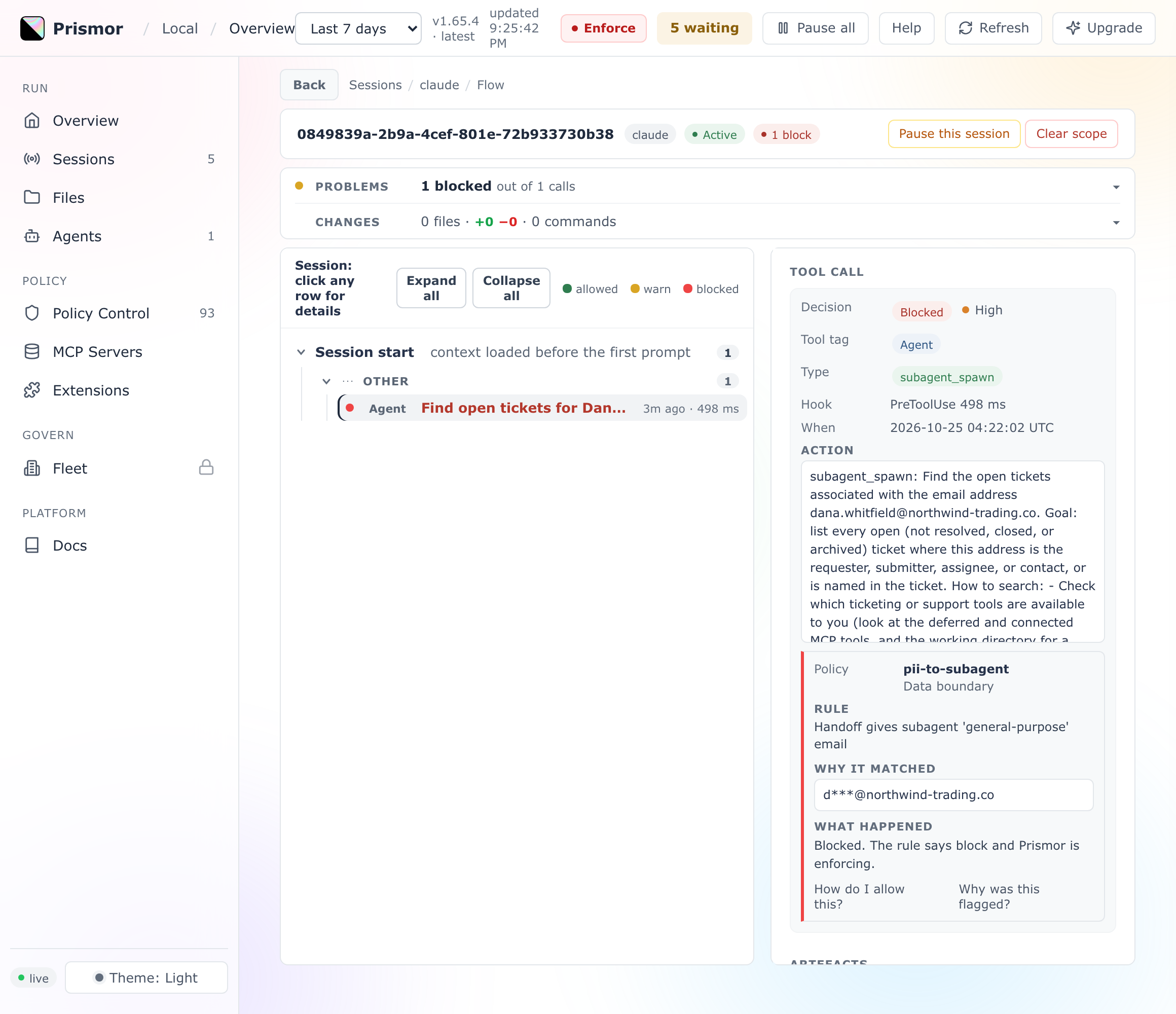
Test values never count: [email protected] or a test card number passes through. Without a handoffs block, nothing is screened.
5. Ship the cap to every device from the console
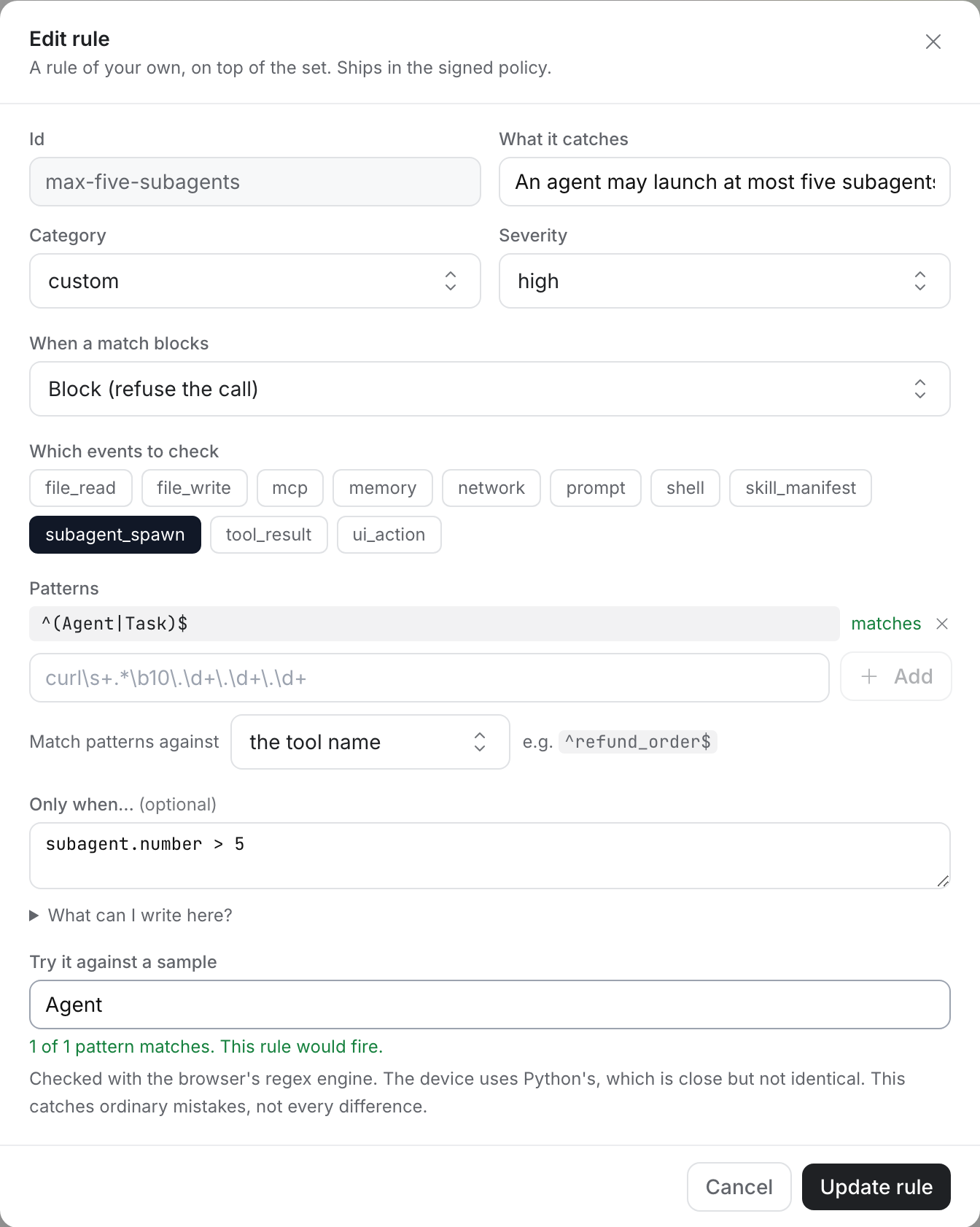
In the console, open Policies, pick a policy, and under Detection rules click Edit, then New rule under Your own rules. A console rule needs a pattern, so match the launch tool by name and put the cap under Only when…:
- Which events to check:
subagent_spawn - Patterns:
^(Agent|Task)$, with Match patterns against set to the tool name - Only when…:
subagent.number > 5
Type Agent into Try it against a sample to check that the pattern matches:
Publish the policy and every enrolled device picks it up.
SDK agents
The same rules apply to agents built with the Python and JS adapters. A framework subagent gets its number when it first acts, so with a cap of five, every call from a sixth subagent is blocked while the first five keep working. Handoffs are screened where the adapter can see them: an OpenAI Agents SDK agent used as a tool, a Google ADK AgentTool, a BeeAI HandoffTool, and Vercel AI SDK tools you list in the adapter's handoffs option:
const tools = prismorTools({ ask_researcher }, {
  agentName: 'support-bot',
  handoffs: { ask_researcher: 'researcher' },
});
Troubleshooting
| Symptom | Fix |
|---|---|
| Every launch gets through | Check that the rule has mode: enforce, or that the device is in enforce. Under observe, the dashboard shows what would have been blocked. |
| A console rule won't save without a pattern | Match the tool name: ^(Agent|Task)$ for Claude Code launches. For SDK subagents, use . against the tool name to match every call. |
| A handoff with an email isn't blocked | handoffs needs data_boundary.enabled: true, and the address must be real. example.com and other test domains never count. |
| Codex subagents aren't blocked at launch | Codex has no launch event. Its subagents get a number when they first act, so the cap blocks their calls instead. |
Next
- Limiting subagents: delegation records, the full list of handoff surfaces, and the limits of each check
- Subagents: how a subagent inherits its parent's pause, mode, denied tools and IAM profile
- Attribute conditions:
subagent.depth,subagent.chainand every other attribute a rule can read - All guides