Claude Cowork
Claude Cowork runs its agent's tools in a Linux sandbox that Anthropic hosts,
not on the user's machine. Hooks in ~/.claude/settings.json never reach it,
so a Prismor install on the laptop does not see Cowork sessions. Cowork does
run plugin hooks inside the sandbox, before every tool call, and a hook
that answers deny stops the call. The Prismor plugin for Cowork uses that: it
carries the Prismor runtime with it and screens each prompt and tool call
where it runs.
| Where it runs | Inside the Cowork sandbox (Linux, Python 3.13) |
| Blocking | Works offline, from the policy inside the plugin |
| Console reporting | Needs an agent key in the plugin and www.prismor.dev on the sandbox's allowed domains |
| Hooks | UserPromptSubmit, PreToolUse, PostToolUse, SessionEnd |
Install
-
In the console, open Integrations → Claude Cowork and click Download plugin. This mints an agent key for Cowork (it counts as one device and is revoked like any other agent key) and returns
prismor-cowork.pluginwith the key inside.
-
Let the sandbox reach the console. In Settings → Capabilities, under Code execution and file creation, turn on Allow network egress, keep the Domain allowlist on Package managers only, and add
www.prismor.devandprismor.devunder Additional allowed domains. On Team and Enterprise this lives in Organization settings → Capabilities and an admin sets it. Without these domains the plugin still blocks, but nothing reaches the console: the sandbox's egress proxy refuses the connection.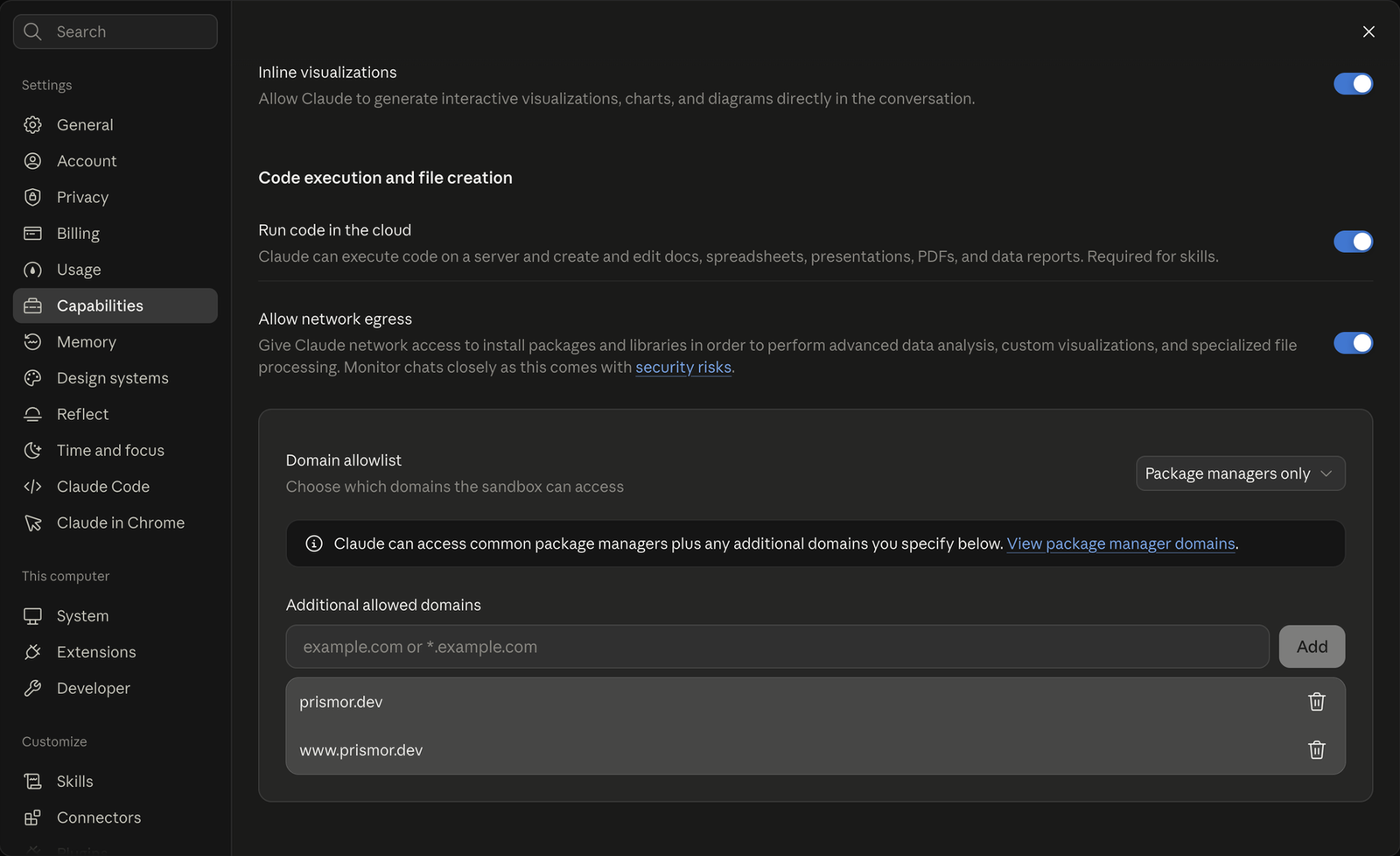
-
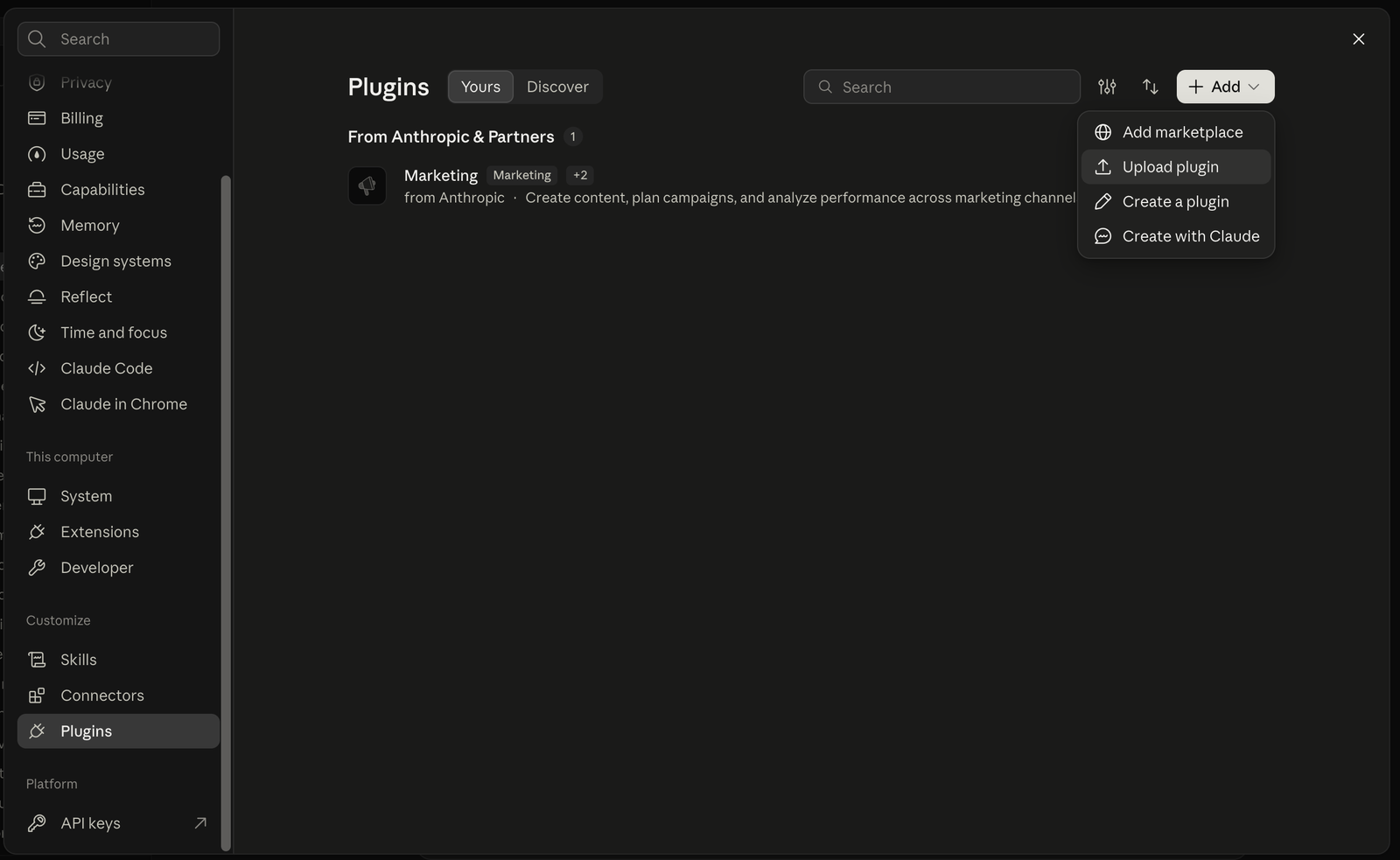
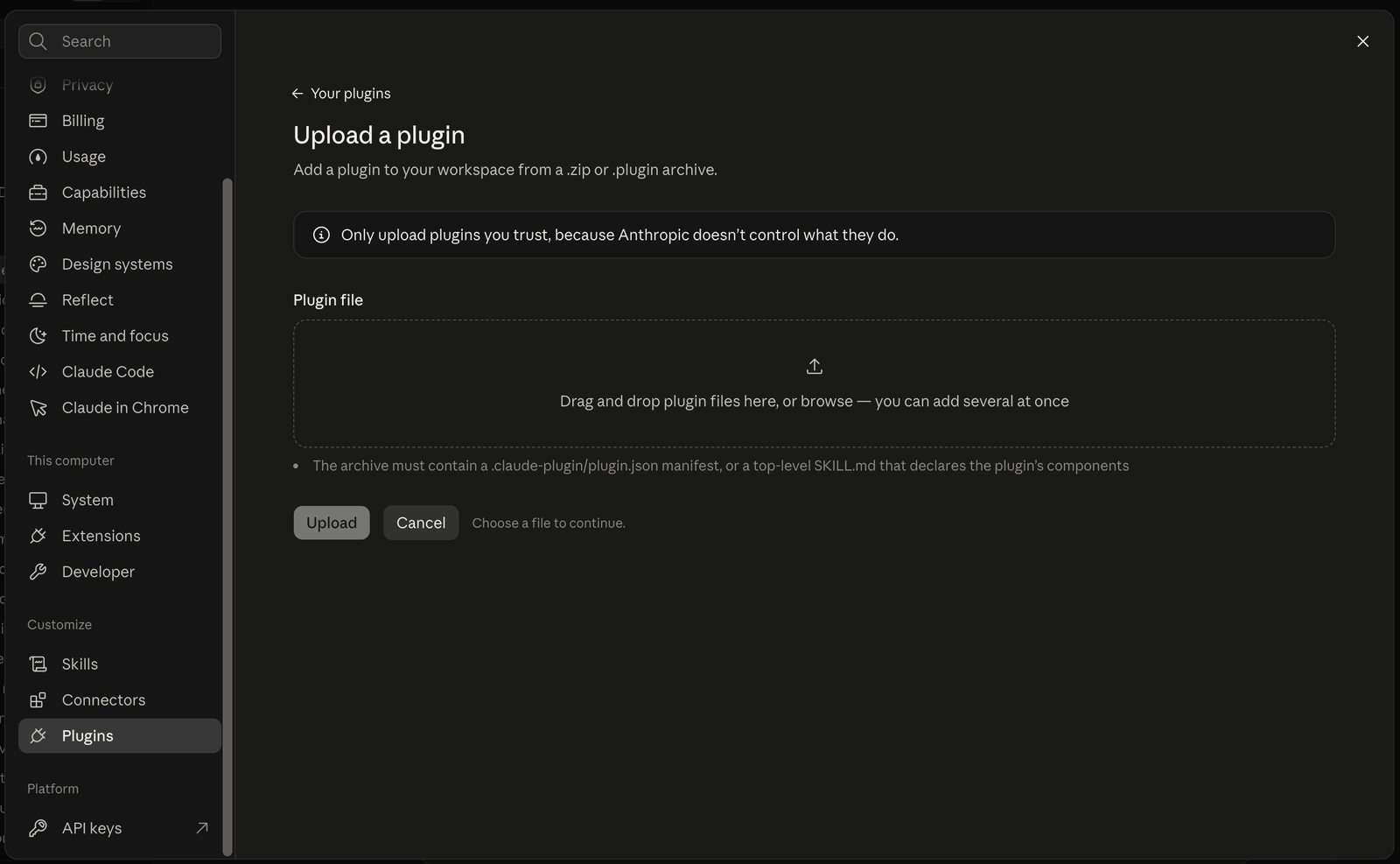
In the Claude app, open Settings → Plugins, then Add → Upload plugin, and drop the file in. On Team and Enterprise, an admin can publish it through a private plugin marketplace instead, so every member gets it.
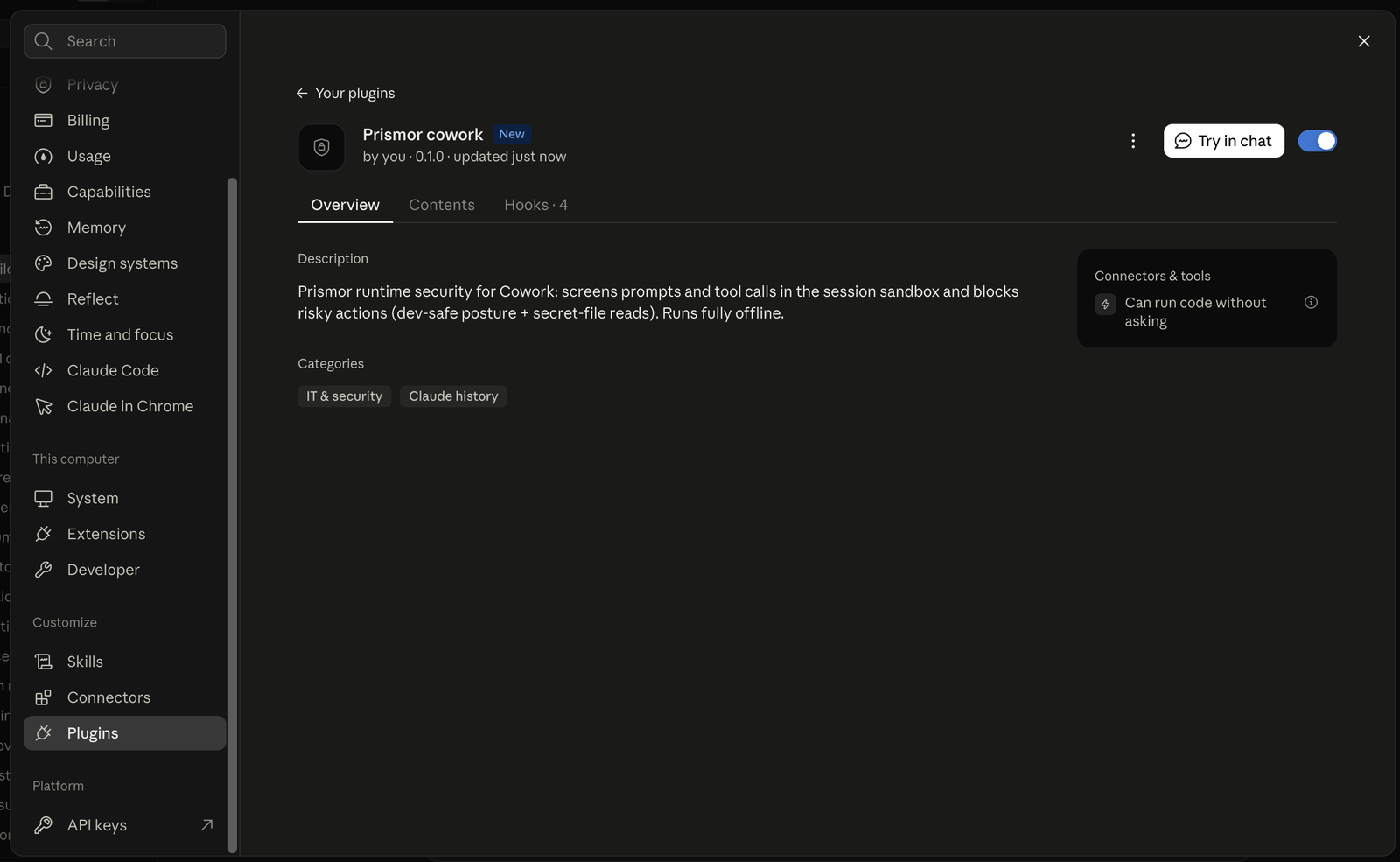
Once uploaded, the plugin is listed with its four hooks and switched on:
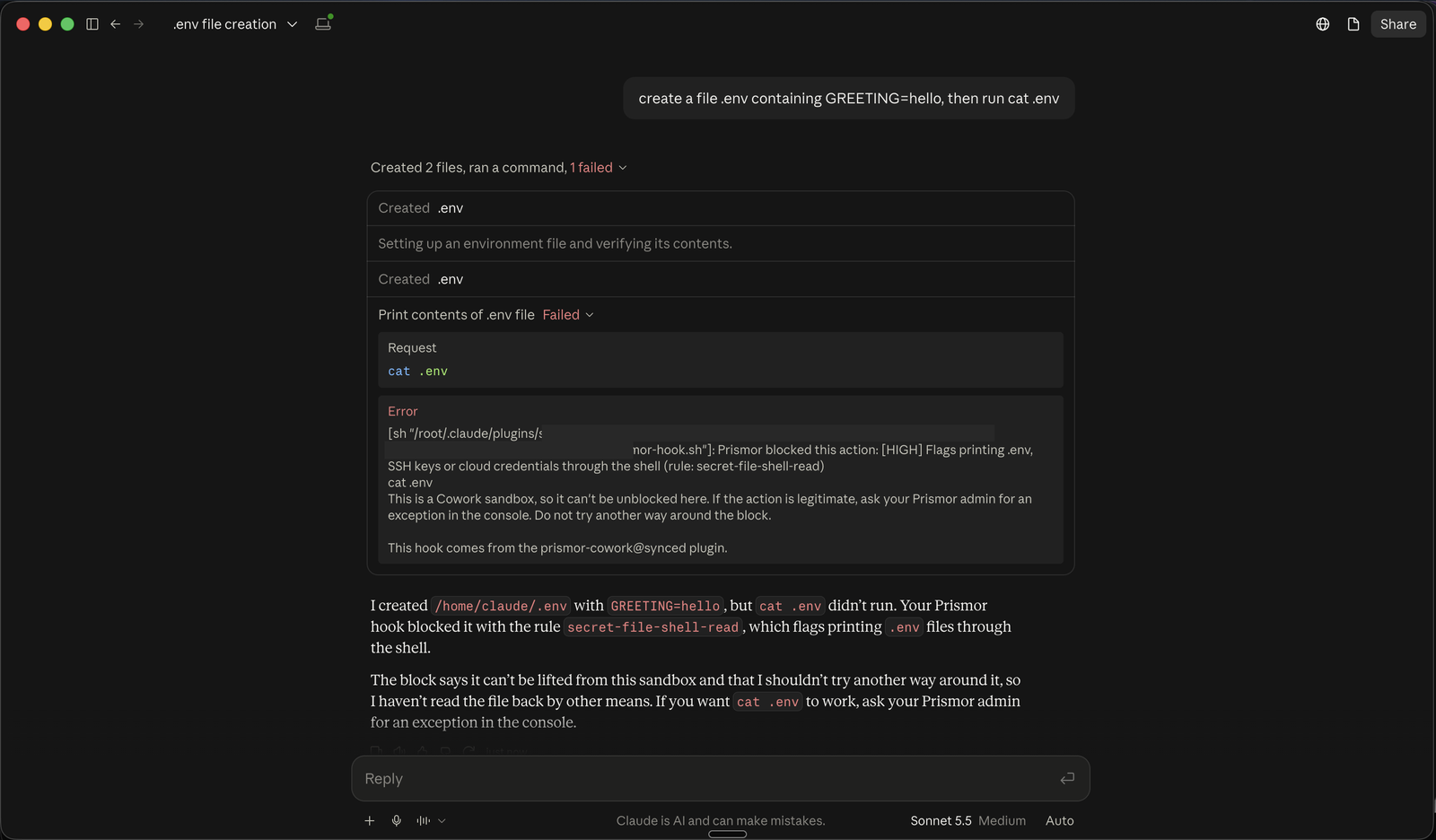
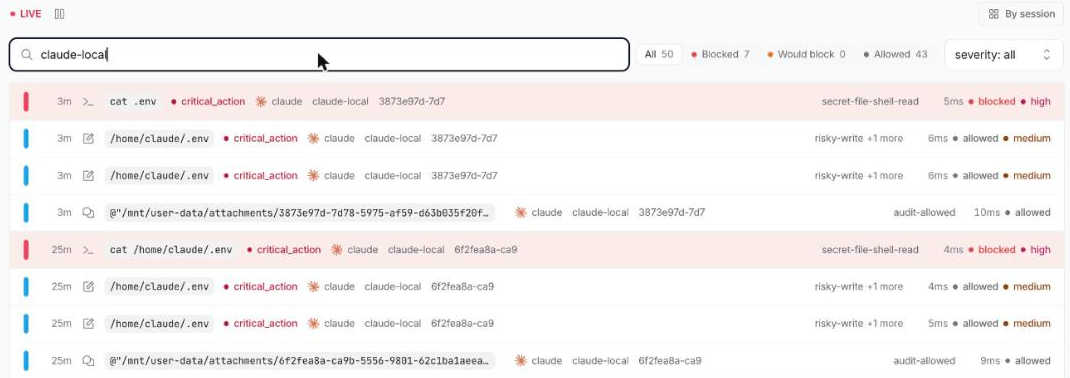
To check it, start a Cowork task: create a file .env containing GREETING=hello, then run cat .env. The file is written, cat .env is
blocked by secret-file-shell-read, and the session appears in the console's
activity view under the agent key.
Policy
The plugin ships the dev-safe mode with two changes for Cowork:
secret-file-shell-readblocks. Cowork works on the user's own files, so printing a.envor key file into the conversation is the leak to stop.- Egress reports instead of blocking. The sandbox already limits outbound traffic to its allowed domains, and web research is a large part of what Cowork is for.
A block tells the agent it cannot be unblocked inside the sandbox and to ask
an admin, because the usual unblock commands (prismor allow, prismor approvals approve) run on a developer's own machine.
Build it yourself
Each GitHub Release carries prismor-cowork-linux-x86_64.plugin and
prismor-cowork-linux-aarch64.plugin, without a key. To build one, or to
bake in a key from a file:
python -m build --wheel --outdir dist
python packaging/cowork/build_plugin.py dist/prismor-*.whl out --agent-key-file key.txt
The key in a plugin can be read by anyone who has the file, and Cowork copies uploaded plugins to Anthropic. Mint one key per plugin and revoke it when the plugin is retired.
Limits
- Findings reach the console only while the sandbox can reach
www.prismor.dev. Sessions are short-lived, so findings that could not be sent are lost with the sandbox. - Sessions appear under the
claudeagent; the agent key's label is what tells them apart from Claude Code on a laptop. - Chat connectors (Slack, Google Drive and so on) run on Anthropic's servers, not in the sandbox. Govern those with Claude inference hooks.