One MacBook with 24 GB of RAM kept freezing while its owner ran coding agents. Swap sat at 38.7 GB out of 39.9 GB, and 94 idle agent sessions held 555 MCP server processes between them, about a third of all processes running on that machine.
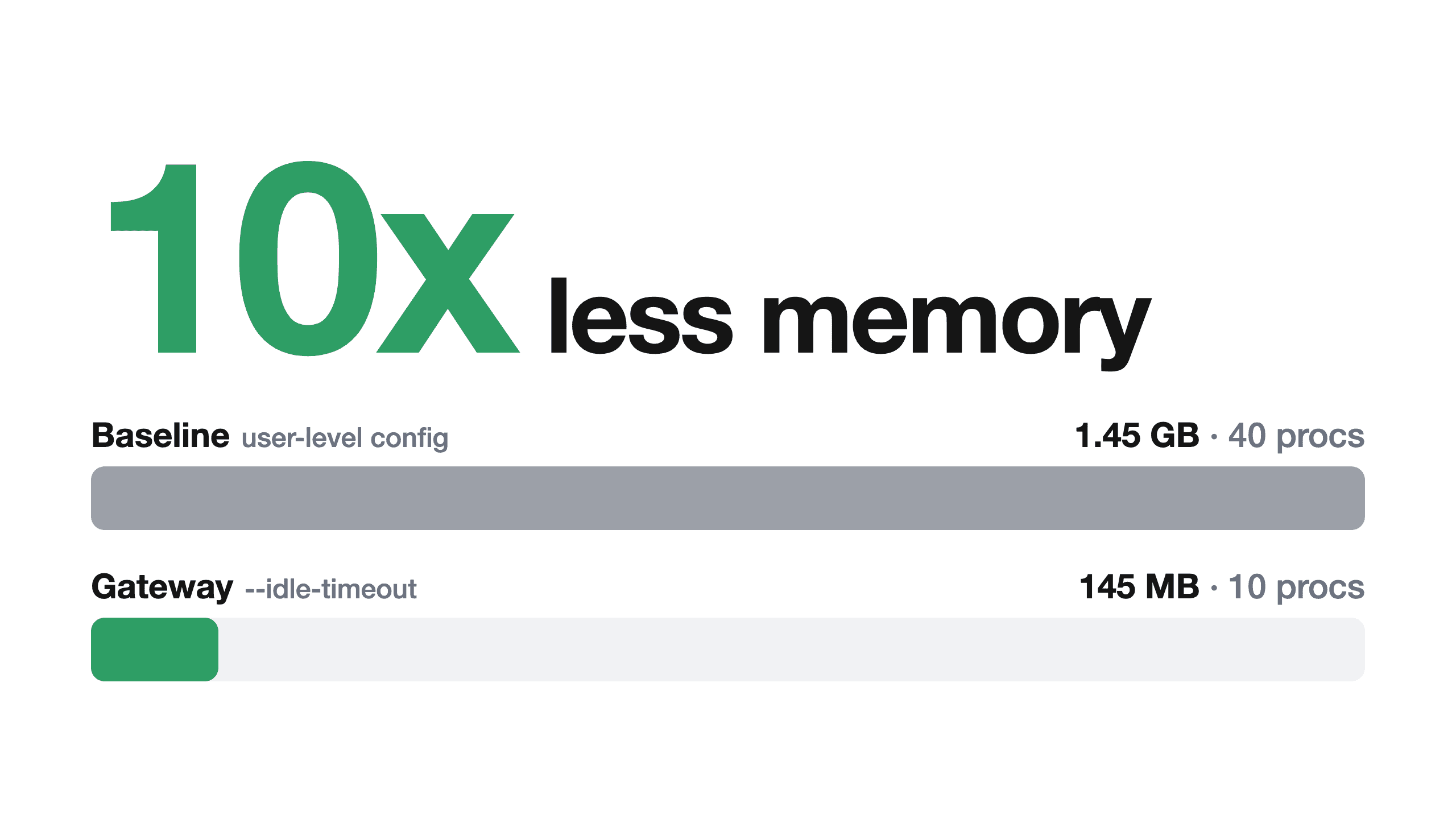
Prismor’s team fixed it in layers: find the idle copies, stop the waste in config, then put an MCP gateway in front so idle servers stop on their own. In a 10-session test, memory fell 10x, from 1.45 GB to 145 MB. On the Mac itself, 373 copies ended in 6 seconds and swap dropped by 21 GB.
Summary
- Problem: each agent session starts its own copy of each MCP server in its global config, and desktop apps keep old sessions alive for days.
- Fix: move servers into project configs, close old sessions, prune and stop idle copies, then front the rest with an MCP gateway that has an idle timeout.
- Result: 10x less memory in a 10-session test (1.45 GB to 145 MB) and 21 GB of swap freed on a real Mac.
What was running
One cleanup script flagged 287 processes. Most were two lines repeated about a hundred times each:
npm exec get-an-expert-agent@latest
npm exec @microsoft/clarity-mcp-server
Both are MCP servers, launched by agent configs instead of by hand. Tracing each process to its parent and counting gave this breakdown:
- 94 agent sessions still alive, holding 3.9 GB
- 105 copies of
colab-mcpat 1.5 GB - 178 processes for
get-an-expertat 508 MB - 178 processes for
clarityat 492 MB - 94 copies of
termmirrorat 252 MB
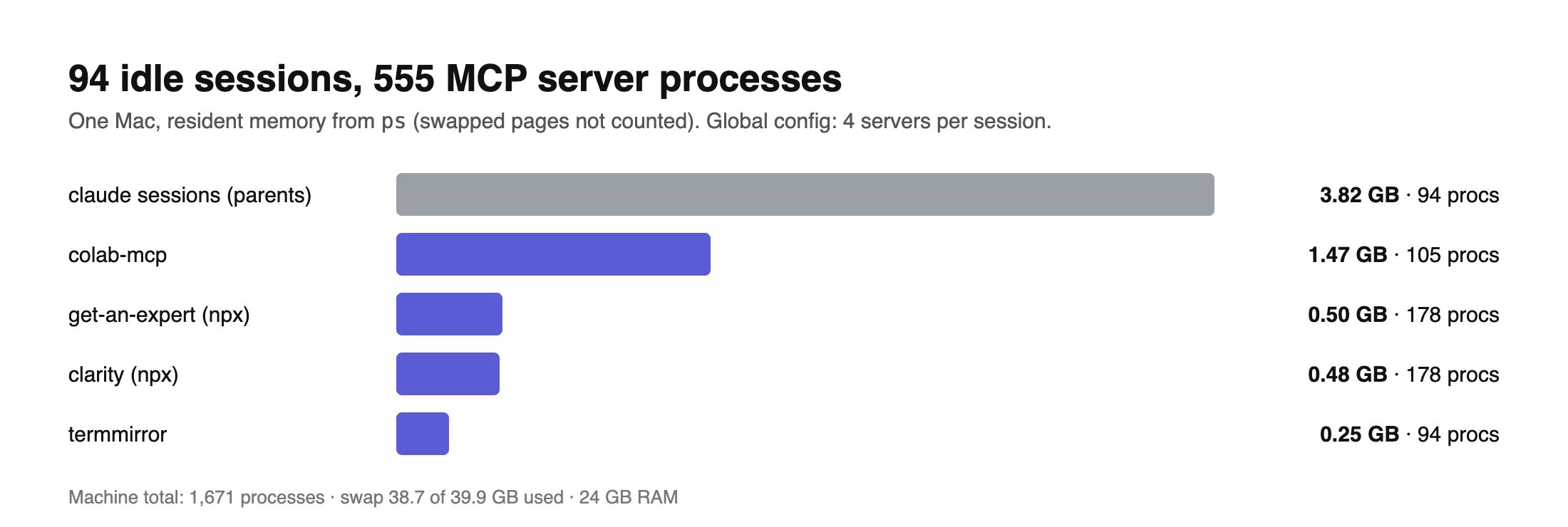
That adds up to 555 MCP server processes. Memory figures run low. Most of these processes had idled for days, so macOS had pushed them into swap, and ps leaves swap out.
Why it happens
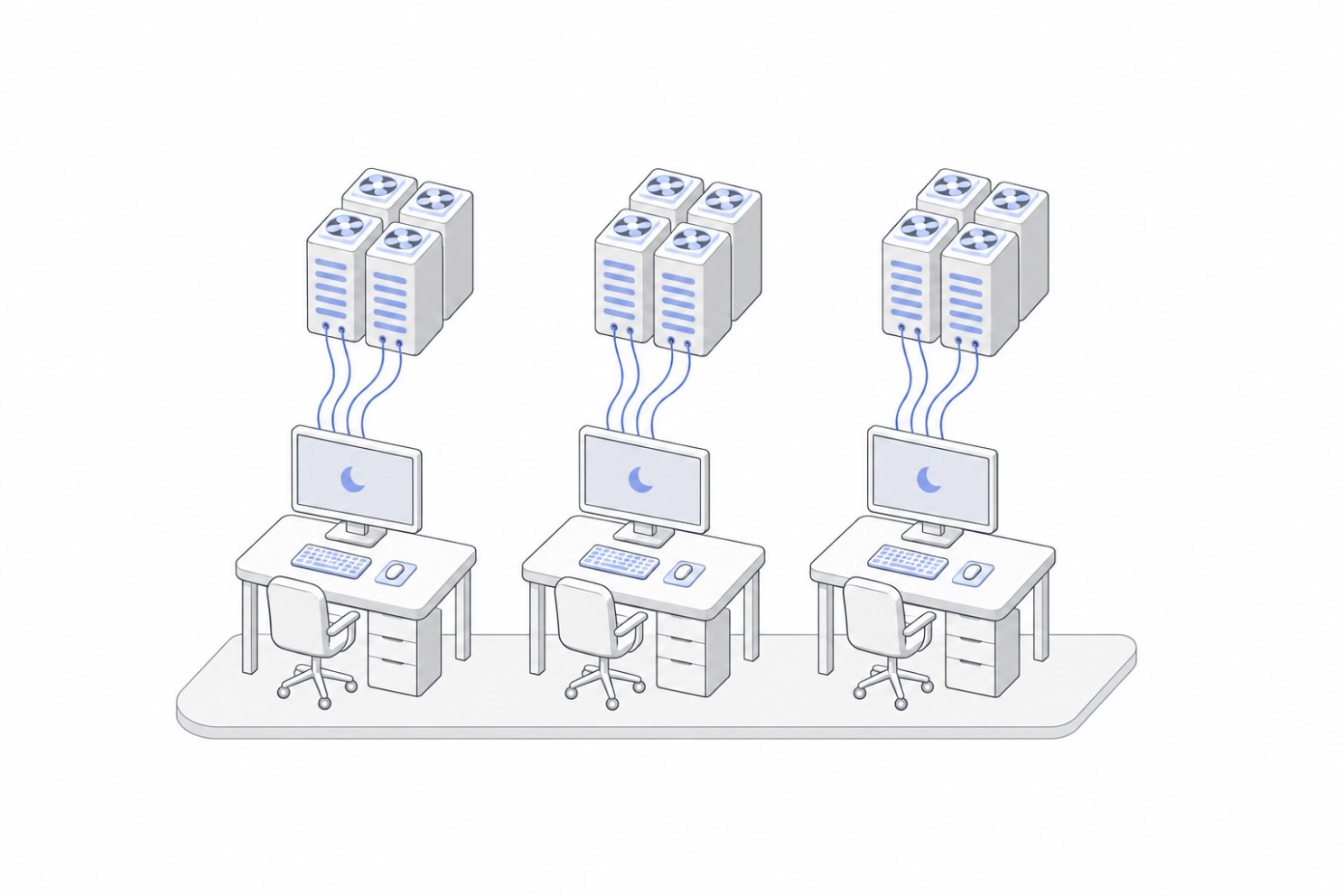
Three things stack up:
- One copy per session. Each stdio MCP server runs as a child of whichever session launched it. Ten sessions means ten copies of each server.
- Global config. Four servers sat in the top-level
mcpServersof~/.claude.json, so sessions in all projects started all four. Most of those sessions made zero calls to Clarity or Colab. - Sessions that stay open. Claude’s desktop app keeps each sidebar session running, MCP children included. 78 of the 94 sessions were over a day old, and the oldest had run for 156 hours.
npx doubles the bill. Each npx server is two processes, and its wrapper uses about as much memory as the server itself.
Ruling out npx wrappers
Suspicion fell on npx first. It wraps each server in npm exec, and the team assumed that wrapper swallowed the shutdown signal and left orphans behind.
Testing checked that guess: a script started a stand-in session and launched a server over stdio, then killed that session with SIGKILL to fake a crash:
[direct]  session owns 2 processes:
    npm exec get-an-expert-agent@latest
    node .../get-an-expert-agent
[direct]  5s after the session is killed: 0 still running
Both processes exited. Once a session dies, its server’s stdin closes and any stdio server shuts down. Parent checks gave the real answer: all 555 servers had a live agent process above them, and those sessions were open and idle.
Step 1: Find idle copies
prismor discover mcp lists each server with its running copies, their memory and how many sessions called it in the last 7 days. Prismor already sees each tool call an agent makes, so it knows which servers get used.
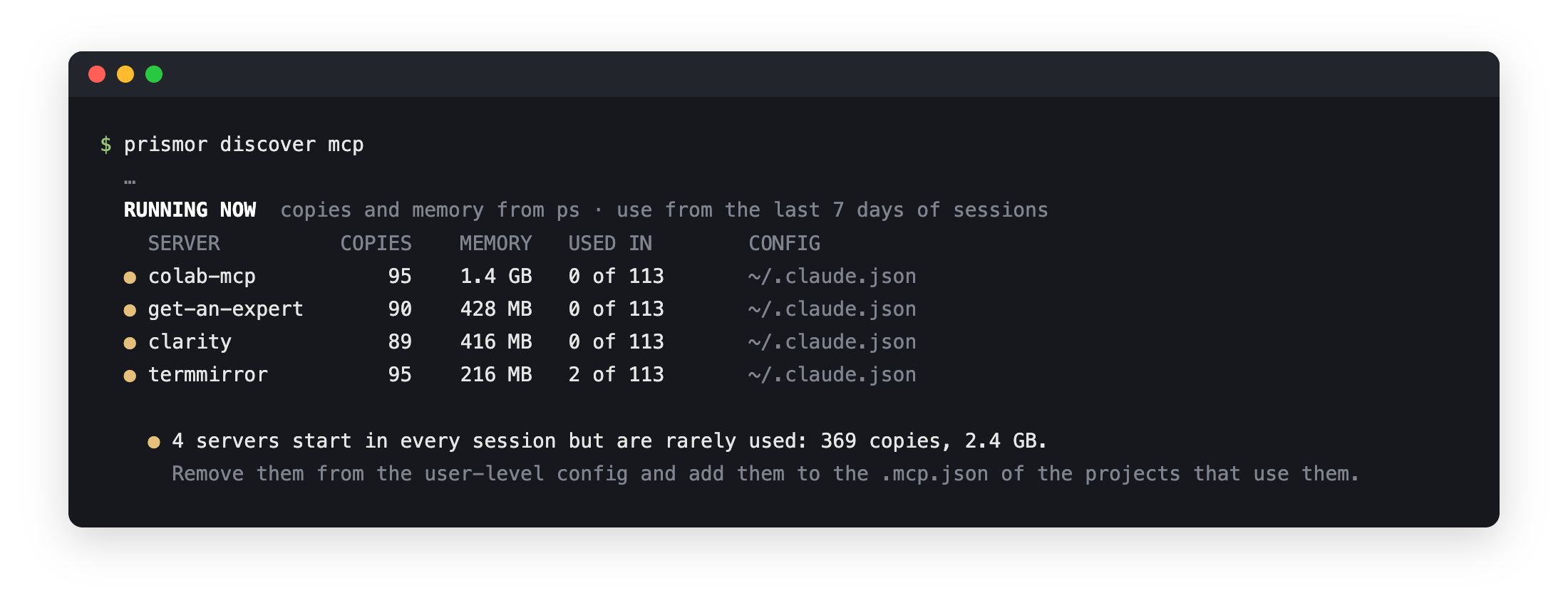
On that Mac, one screen showed it all. Three servers ran about 90 copies each with zero calls all week, and Prismor flags those.
Plain ps works on any machine. This check counts MCP processes by parent:
ps -axo pid,ppid,etime,command | grep -E 'npm exec|mcp' | grep -v grep | awk '{print $2}' | sort | uniq -c | sort -rn | headRed flag: parent PIDs that repeat over and over, each one belonging to an agent.
Step 2: Stop waste in config
Three fixes work today, with no new tooling:
- Move servers out of global config and into each project’s
.mcp.json. This is the biggest win by far. - Close sessions once they are done:
/exitin the CLI, or close them in the desktop app. - Install
npxservers once withnpm i -g <package>and point config at that binary, which halves the process count.
Prismor automates the cleanup in one command:
prismor discover mcp --prune --stop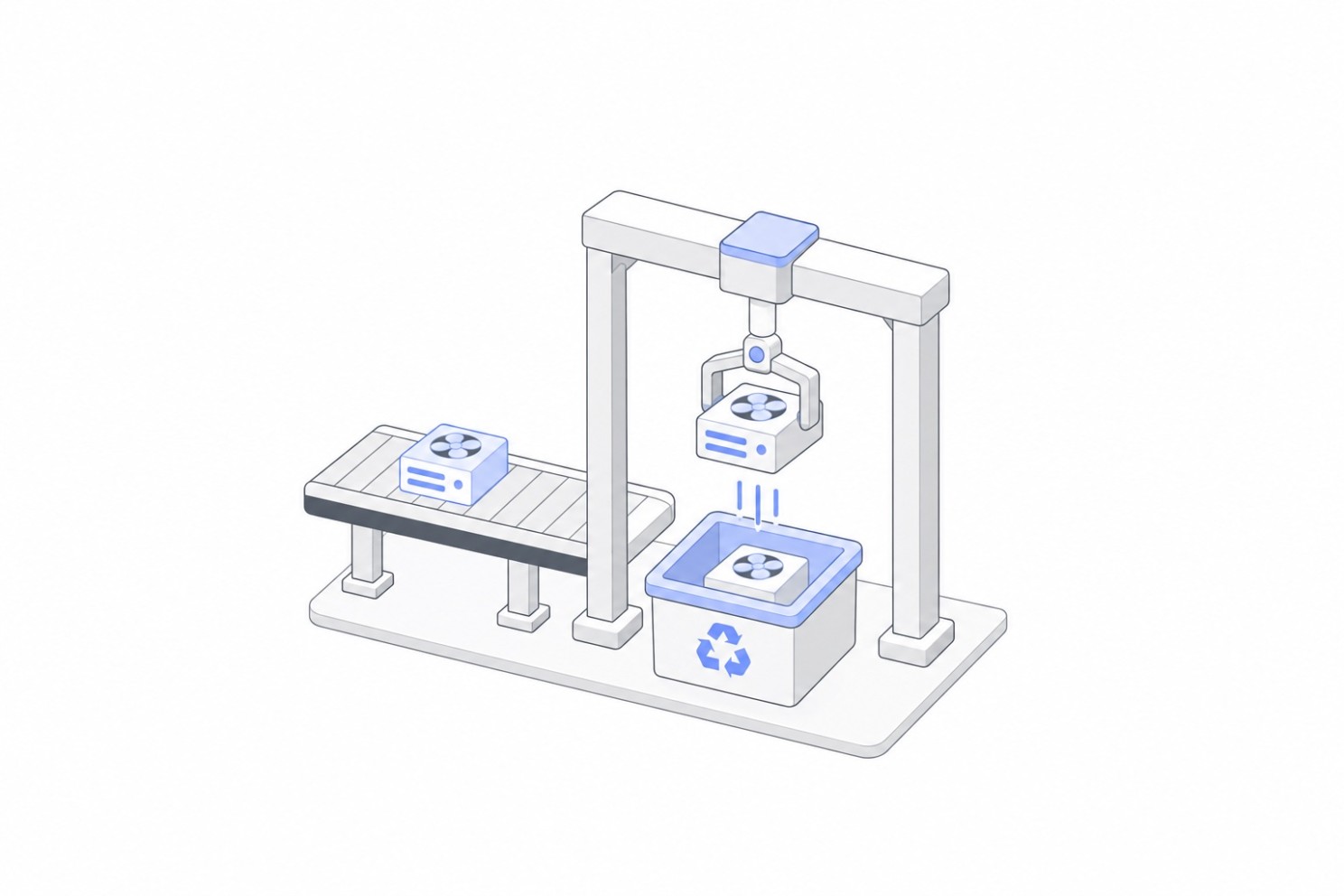
--prunesaves a backup, then drops flagged servers from global config. New sessions stop starting them.--stopends copies running right now. Open sessions keep going and lose those servers’ tools, which costs little when no session calls them.
Both commands show their plan and ask before acting.
Step 3: Put an MCP gateway in front
Some servers still get called now and then, so they stay in config. prismor mcp-gateway handles those. It is a single MCP connector that fronts the rest, so each agent configures one server instead of many. One command moves the servers in a workspace’s .mcp.json behind it:
prismor mcp-gateway install         # this workspace's .mcp.json servers
prismor mcp-gateway install --all   # all MCP configs on this machine
Then the gateway can stop servers after a quiet period, set with --idle-timeout. Agents still see all their tools, and the next call starts the server again in about a quarter of a second.

Servers that hold state between calls, like one keeping a browser open, work better with the idle timeout off. prismor mcp-gateway uninstall restores the original .mcp.json from its backup.
Results
Prismor’s team tested each fix in an isolated rig: 10 stand-in sessions with 4 real MCP servers each, 3 of them with no calls.
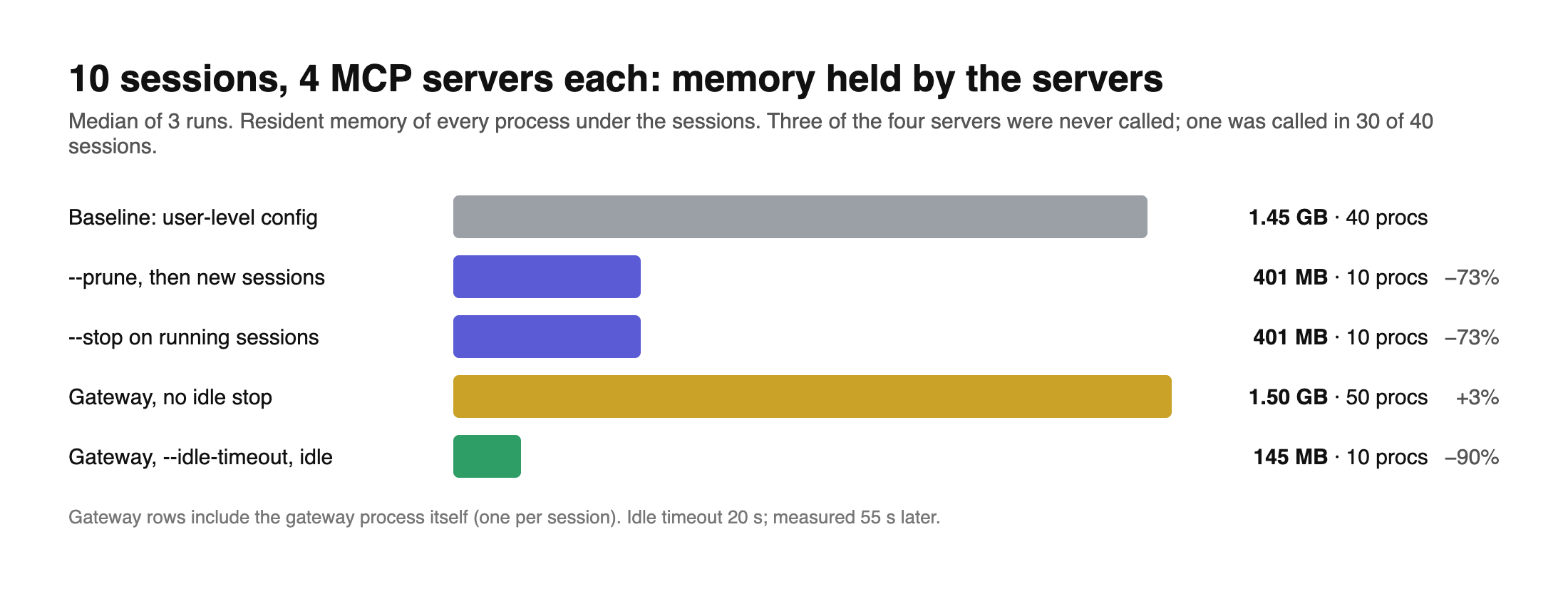
- Baseline: 40 processes, 1,484 MB
- After
--prune: 10 processes, 401 MB (73% less) - After
--stop: 10 processes, 401 MB, with all sessions still running - Gateway with idle stop: 10 processes, 145 MB (90% less, the 10x)
Those same fixes then ran on the owner’s own Mac, where 373 copies ended in 6 seconds. Swap dropped from 38.3 GB to 17.2 GB, and all open sessions kept running.
Limits
- Usage counts cover Claude Code today. Other agents show copies and memory without usage.
psleaves out swapped memory, so on a busy machine real savings run higher than Prismor reports.
Try it
pip install prismor
prismor discover mcp
prismor mcp-gateway install
Prismor is open source at github.com/PrismorSec/prismor. More at prismor.dev