A Claude Code session fires a PreToolUse hook before every tool call. The hook receives the command, the working directory, and the session id, and the agent waits for its answer before it runs anything. An n8n workflow running an AI agent node has no such event. There is nothing to hook, and the only thing you control is the base URL its OpenAI credential points at.
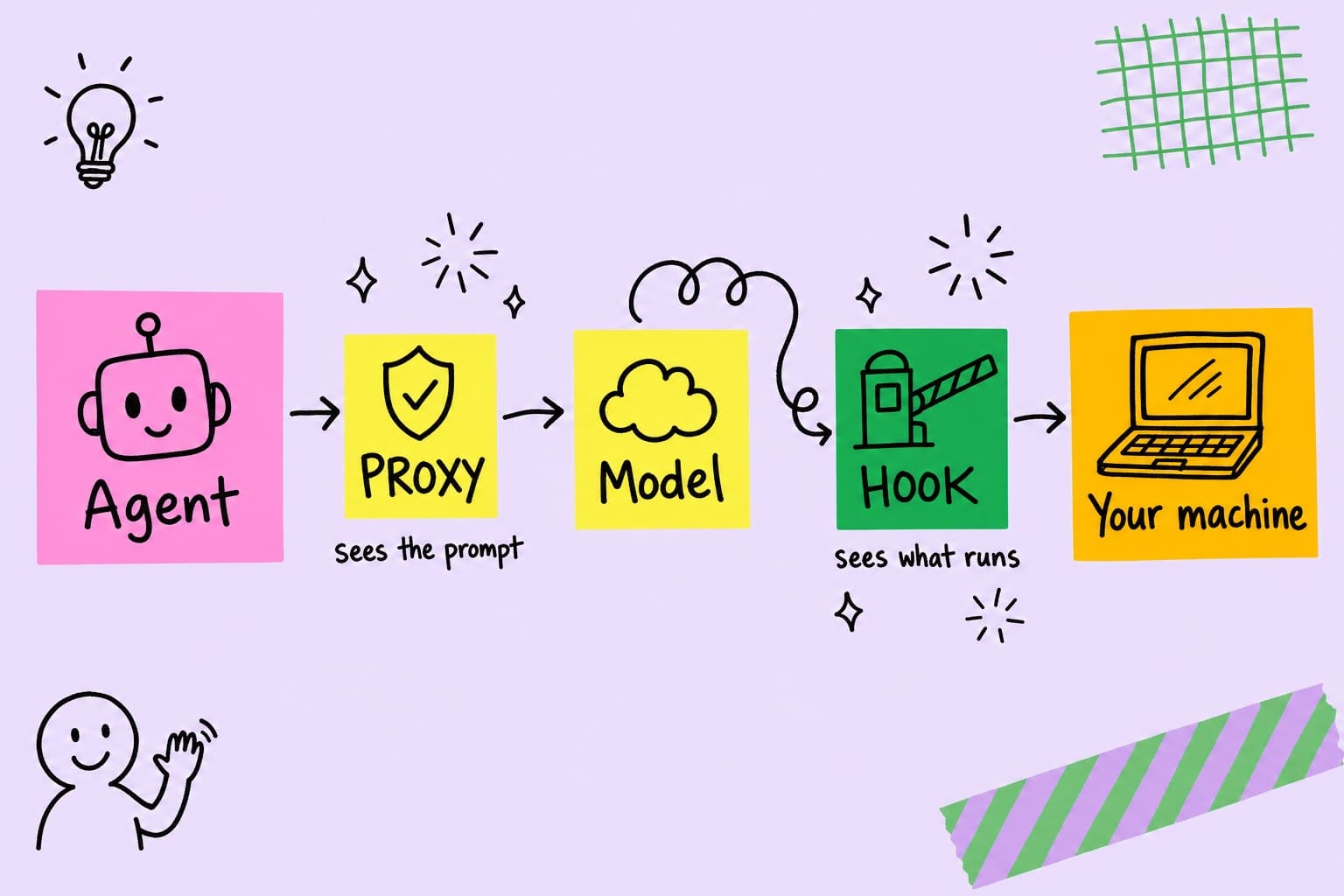
Those two agents need two different controls. A hook sits between the agent and your machine. A proxy sits between the agent and its model. Both can refuse a dangerous tool call, and both can run the same policy, yet they see different parts of the loop and they fail in different ways. This post walks through what each one sees, what each one misses, and how to pick.
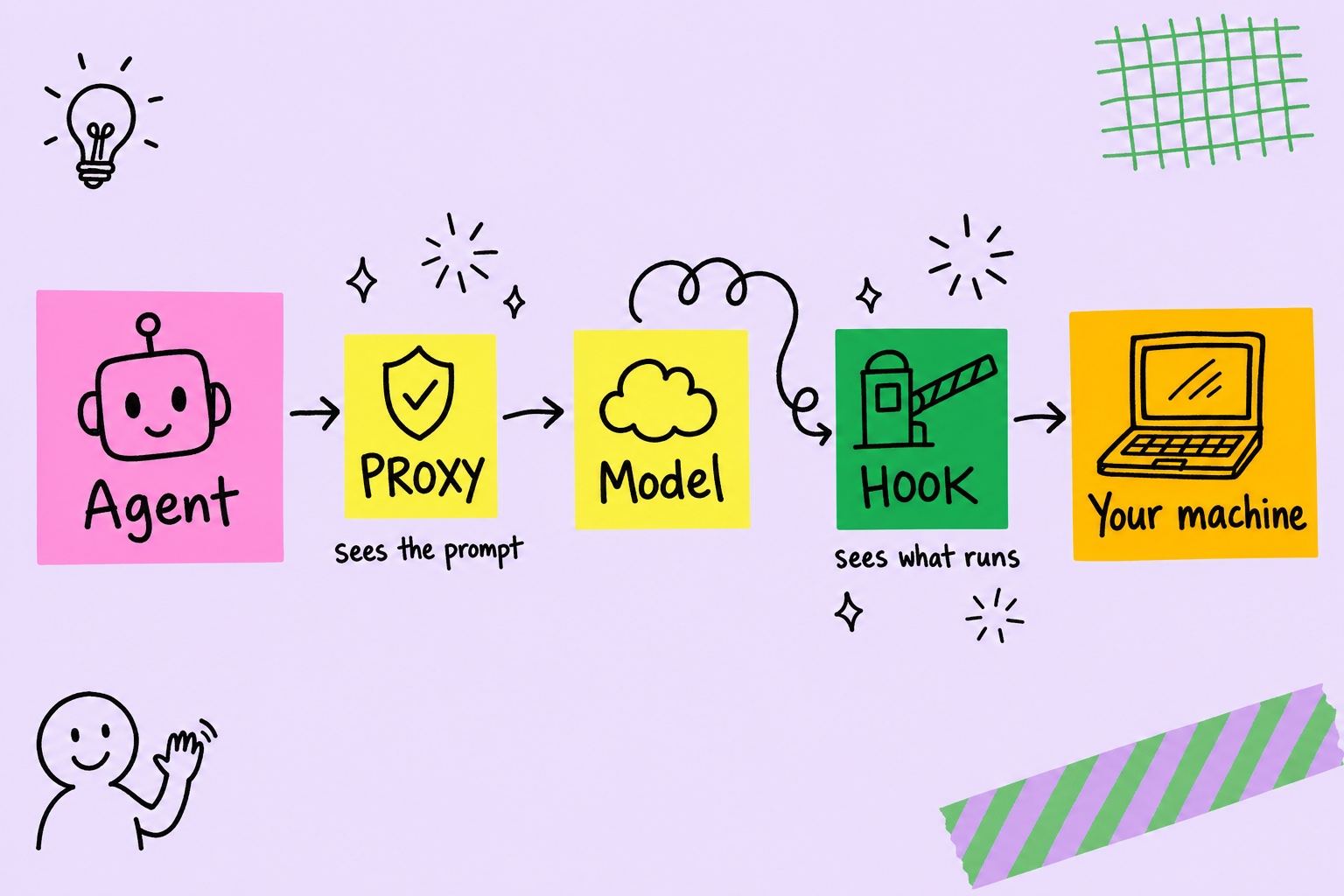
How a hook works
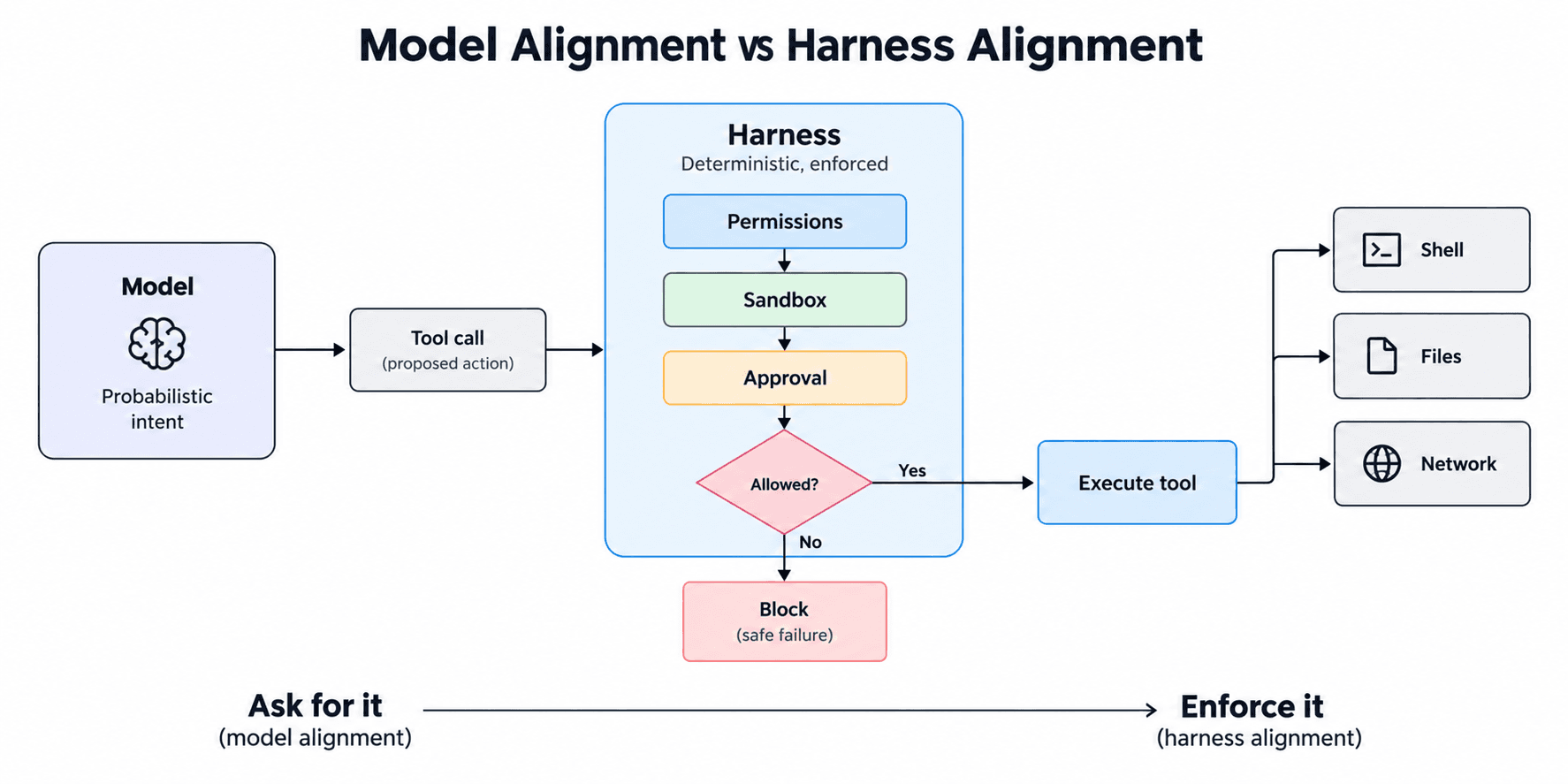
A hook is a callback the agent itself offers. Before a tool runs, the agent serializes the call to JSON and hands it to an external command. The command returns allow, deny, or ask, and the agent obeys. A second event, PostToolUse, fires after the tool returns and carries its result.
The strength of this position is that it covers the agent’s entire tool surface. Every shell command, file read, file write, web fetch, and MCP call passes through the same checkpoint, including tools no security product has a special case for. The hook sees the call the agent is about to execute, after the agent has resolved it, with the real working directory attached. It runs locally, so it works offline and adds no network hop.
The limits are just as structural. A hook only exists where the agent ships a hook protocol. Claude Code, Codex, Cursor, Gemini CLI, Copilot CLI, and most coding agents now do. Aider, Warp, Trae, and Antigravity do not. A hook also works on actions. It has no view of the prompt going to the model provider, so a credential that has already entered the agent’s context leaves the machine with the next request. On most agents a hook can refuse a call but cannot rewrite the tool’s output.
How a proxy works
A proxy asks nothing of the agent. Almost every model SDK reads a base URL from an environment variable or a constructor argument, such as ANTHROPIC_BASE_URL, OPENAI_BASE_URL, or the Google Gen AI SDK’s base_url. Point it at the proxy and every model request crosses a process you control.
A proxy sees two things. On the way out, it sees the full prompt: system prompt, user messages, and every tool result the agent is feeding back. That is where an injected instruction rides in, and it is the last point at which a live secret can be masked before it lands in a third party’s logs. On the way back, it sees the tool calls the model proposed. A text filter treats those as prose. A useful proxy parses the tool_use block into the same shell or file event a hook would produce and runs the same rule, so a command blocked at the hook layer is also blocked when the model proposes it.
Streaming makes this harder. Refusing after the client has read the bytes enforces nothing, so the proxy has to hold each tool-call block until it is complete, judge it whole, then release it or replace it with a refusal. Text still streams. Tool arguments arrive in one burst instead of token by token, which is the cost of enforcement on a stream.
What each one misses
The gaps follow from where each control stands.
- The proxy sees intent. The hook sees execution. A proposed call is not always the call that runs. A permission prompt can stop it, and a sandbox can rewrite its input. The hook judges the final form. The proxy judges the model’s draft.
- The proxy depends on the tool schema. A proposed call is only as legible as its arguments. A tool that takes a structured
commandfield maps cleanly onto shell rules. A tool that takes a free-textquerygives the rules nothing to match. - The proxy only governs traffic that reaches it. An agent that ignores the base URL setting, or runs inside a managed cloud runtime whose model calls never cross a URL you own, bypasses it. For a hosted runtime, the lever is shipping a policy adapter inside the agent’s own code.
- The hook cannot see the prompt. Secrets and injected instructions in the context window reach the model provider untouched unless something on the wire masks or screens them.
- A proxy refusal ends the turn. A hook’s denial returns to the agent as a tool result it can reason about. The proxy can only withhold the call and hand back text, so the model’s turn is over and an unattended agent stops there.
- The hook only exists where the vendor built one. Workflow tools, chatbots, custom SDK apps, and agent-to-agent (A2A) calls usually expose no hook at all.
What running both side by side shows
Put the same agent behind each control, give it the same task, and compare what each one recorded. The difference is consistent, and it follows directly from where each control stands.
| Hook | Proxy | |
|---|---|---|
| Tool output (stdout, stderr, files changed) | Yes, after each call | No, only what the model proposed |
| Working directory | The agent’s real one | Unknown to it |
| Tool call id, permission mode, session transcript | Yes | No |
| Instruction files the agent loaded | Yes | Only as text inside the prompt |
| Full system prompt and conversation | No, only the user prompt | Yes, every turn |
| Model and token usage | Yes, from the transcript | Yes, from the response |
| Secrets in context before they leave | Cannot touch them | Can mask them |
| Latency it adds | Per tool call, local | Per model call, on the request path |
| What a block does | Returns a reason the agent can act on | Ends the model’s turn |
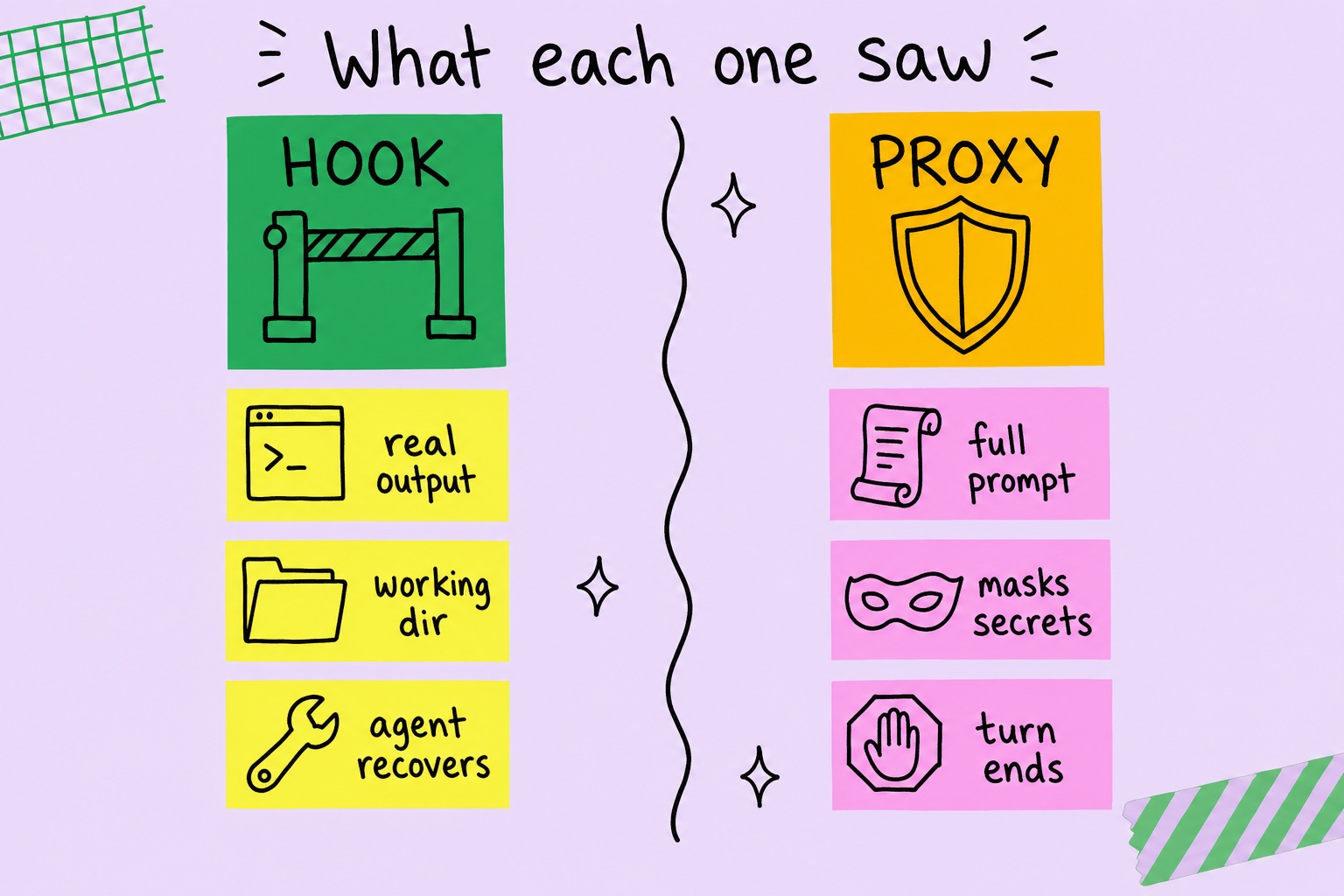
A hook turns a block into feedback. A proxy turns it into a stop. When a hook denies a call, the denial returns to the agent as a tool result with a reason. The agent can read it and take a safer route, and the task still finishes. When a proxy denies a call, it can only withhold the call and hand back text, so the model’s turn is over. An interactive user sees the refusal and decides what to do. An unattended agent simply stops. That matters most for false positives, which every rule set has: under a hook they cost a retry, under a proxy they cost the task.
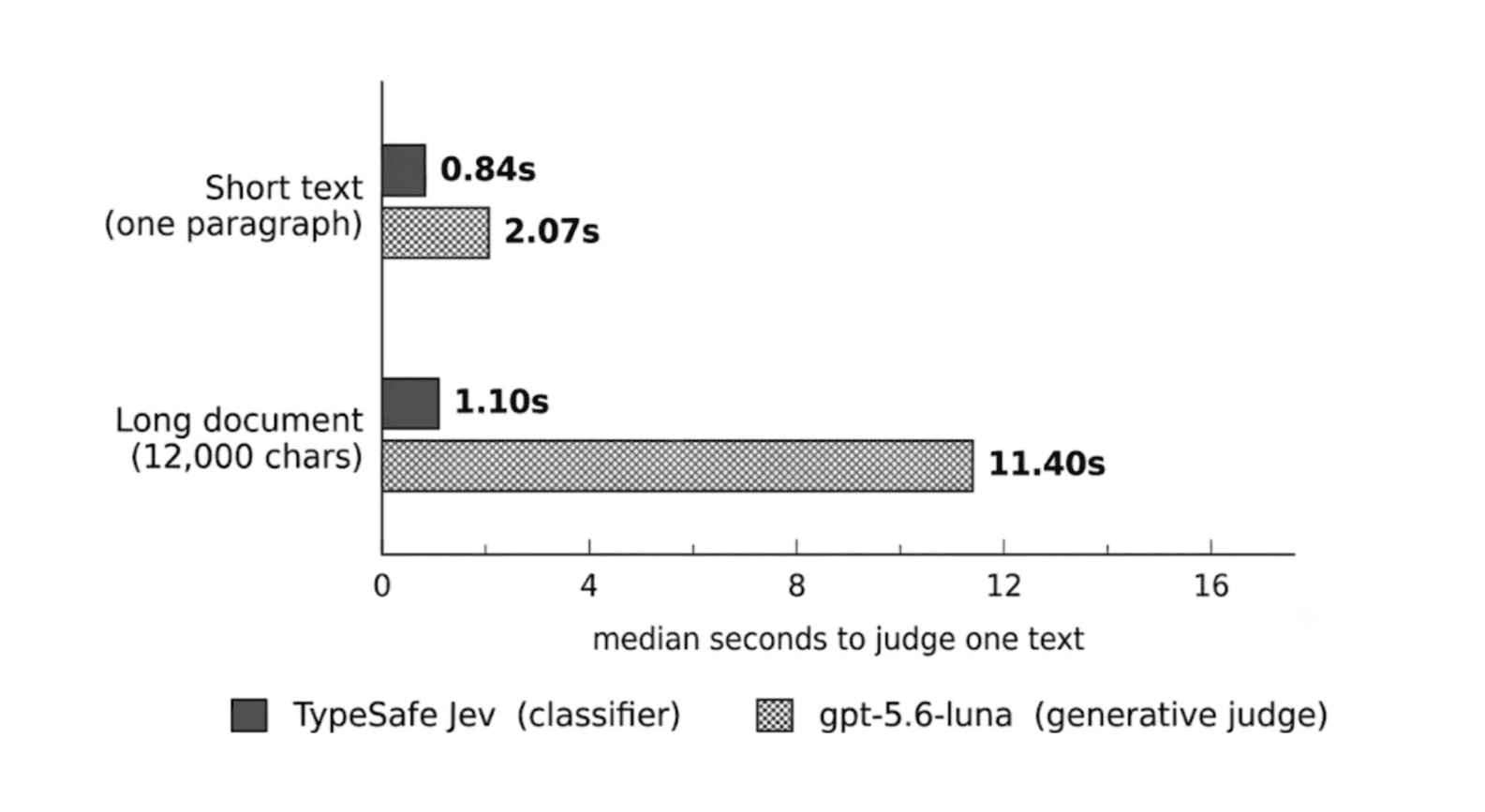
Streaming is where proxies break. A proxy that withholds a tool call has to rewrite the rest of the stream to match, including the field that tells the client a tool call is coming. If it leaves that field alone, the client waits for a call that was removed and fails in ways that look like a model error. Test any proxy against the real agent in streaming mode before trusting it, and time a trivial prompt with and without it. Anything that inspects every string of a large coding-agent request pays for it on every single turn.
Pattern-based secret masking is a floor. A credential with a recognizable shape, such as an AWS key ID with its fixed prefix, is easy to catch. Its paired secret is a random string with nothing to anchor on, and it goes through. Secrets you already know about should be registered by value, so they are caught wherever they appear. Check your local logs as well. A control that records the prompt before masking it has just written the secret to disk.
Current models refuse the obvious injections. A planted instruction to pipe a download into a shell is usually declined and flagged by the model itself. That says little about the control behind it. Test your rules with calls the model is willing to make, and measure the false positives they produce on ordinary work, because those are what users meet every day.
When to use which
Start from the agent and ask two questions in order.
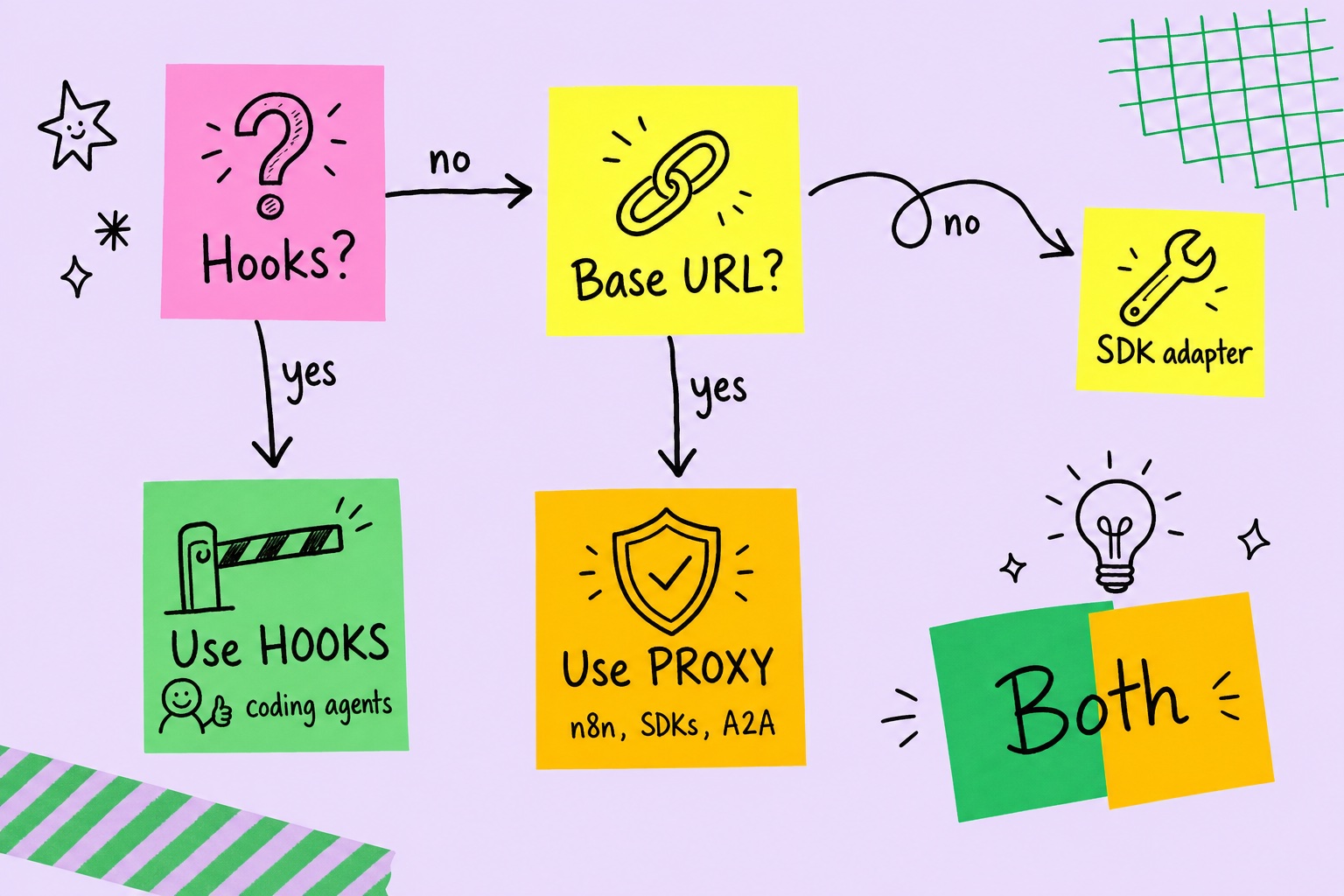
- Coding agents on a developer machine: hooks. Claude Code, Codex, Cursor, Gemini CLI, and Copilot CLI all expose a pre-tool event. The hook covers every tool, judges the call that actually runs, and records its output. When it blocks, the agent can try a safer route instead of stopping.
- Agents with no hook protocol: the proxy. n8n, LangChain or OpenAI SDK apps, internal chatbots, and A2A clients all accept a base URL. One environment variable brings them under the same policy with no code change.
- Managed model endpoints: the proxy, with signing. Agents on Bedrock, Vertex, or Azure OpenAI can go through the same proxy if it re-signs requests with the cloud credential, AWS SigV4 or a GCP OAuth token, after screening them.
- Neither available: govern from inside. A framework adapter in the agent’s own code, or an MCP layer that serves its tools, is the remaining interposition point.
- Sensitive data in the context: both. If agents read customer data, credentials, or untrusted documents, put hooks on execution and the proxy on the wire. The hook stops the dangerous action. The proxy stops the secret from leaving in the prompt.
Running both only works if they agree. Two controls with two rule sets will eventually disagree about the same command, and the gap between them is where an incident hides. The simpler setup is one policy engine behind both surfaces, so a rule written once applies at the hook and on the wire, and both write to the same session trail. That is how Prismor’s governance surfaces are built, and the LLM proxy and hooks share the same rule table. Whatever you run, the question to ask of any agent in your fleet is the same: at which point in its loop does a rule actually get checked, and what does that point fail to see.