Cover Codex, Cursor, Copilot and Antigravity
Hook every coding agent on a machine into the same Prismor policy. Each agent keeps its own hook file, and Prismor screens every tool call the same way. Takes about two minutes.
You'll need
prismorinstalled (pip install prismor). To report to the console, enroll the device first: see Enroll a device.- The agents you want to cover, installed on the machine.
1. Hook each agent in the project
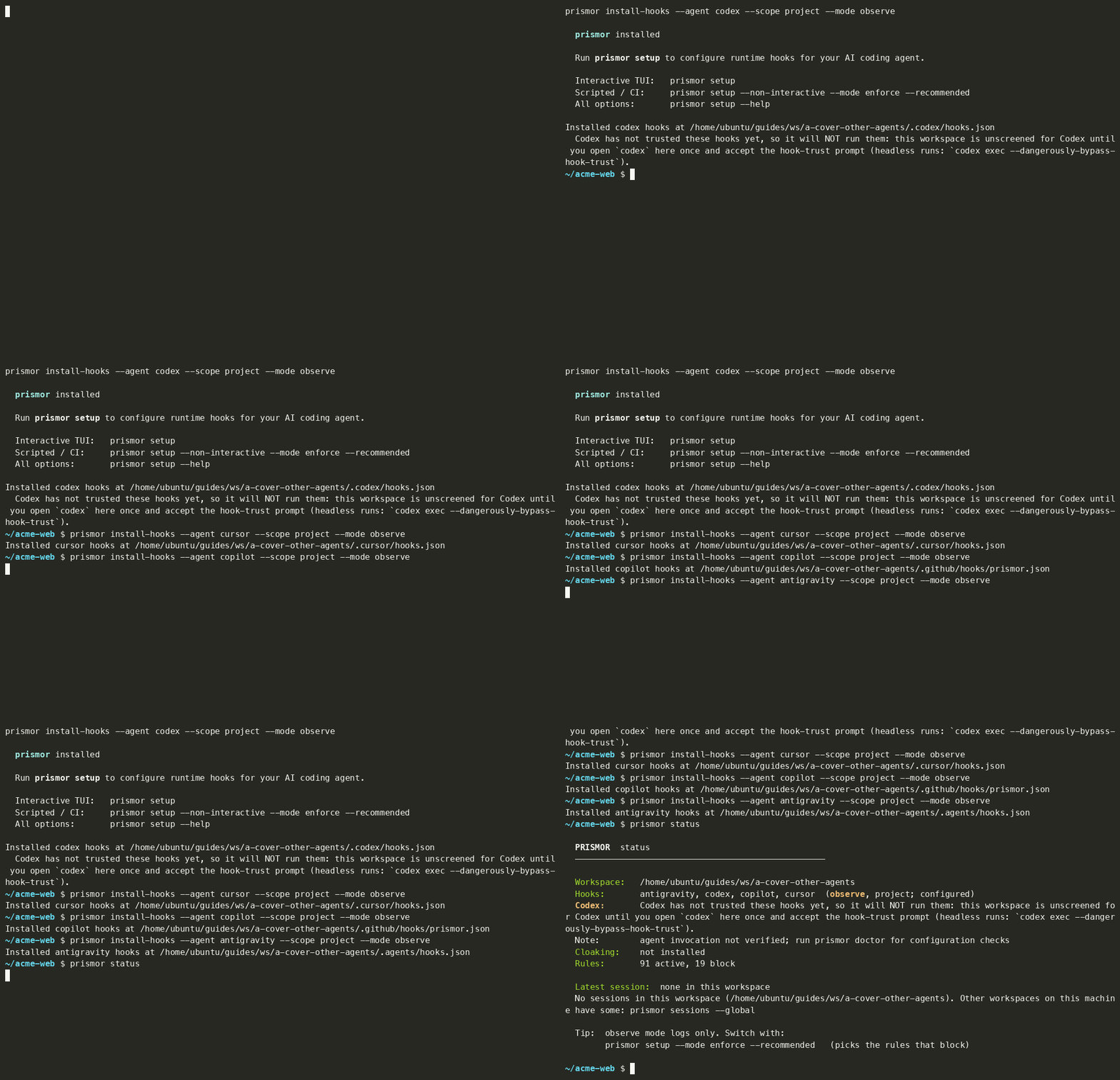
From the project directory, run install-hooks once per agent. --scope project writes the hook file into this repo. --mode observe logs every call and blocks nothing.
prismor install-hooks --agent codex --scope project --mode observe
prismor install-hooks --agent cursor --scope project --mode observe
prismor install-hooks --agent copilot --scope project --mode observe
prismor install-hooks --agent antigravity --scope project --mode observe
Each command prints the file it wrote:
| Agent | Hook file |
|---|---|
| Codex | .codex/hooks.json |
| Cursor | .cursor/hooks.json |
| GitHub Copilot | .github/hooks/prismor.json |
| Antigravity | .agents/hooks.json |
To hook every supported agent at once, use --agent all. That also covers Claude Code, Windsurf, Gemini CLI, Kiro, OpenHands, Qwen, Continue, Goose, opencode, Grok and Crush.
2. Trust the hooks in Codex
Codex won't run project hooks until you approve them. install-hooks and prismor status both warn about it:
Codex has not trusted these hooks yet, so it will NOT run them
Open codex in the project once and accept the hook-trust prompt. For headless runs, use codex exec --dangerously-bypass-hook-trust. Until you do one of these, this workspace isn't screened for Codex.
3. Check what's hooked
prismor status
The Hooks line lists every agent that's wired in this workspace, plus the mode and scope:
Hooks: antigravity, codex, copilot, cursor (observe, project; configured)
status only reads the config files. It doesn't prove an agent ran through the hooks. Run prismor doctor for configuration checks, or use the agent once and look for the session in the console under Sessions.
Project or global scope
| Scope | Where hooks go | When to use |
|---|---|---|
--scope project | Files inside this repo | Trying Prismor on one project, or committing the hook config with the repo |
--scope global | The agent's user config, e.g. ~/.claude | An enrolled developer machine, so no directory is left unguarded |
If an agent is hooked at both scopes, every call is screened twice. install-hooks warns about this. Remove one with prismor uninstall-hooks --agent <agent> --scope project|global.
Troubleshooting
| Symptom | Fix |
|---|---|
| Codex calls never show up | Accept the hook-trust prompt (step 2). |
| OpenClaw or Hermes say NOT active | OpenClaw has to list the plugin (openclaw plugins list). Hermes loads project plugins only with HERMES_ENABLE_PROJECT_PLUGINS=1, or install with --scope global. |
| Hook file is committed but another machine shows nothing | Hook commands contain machine-specific paths. Re-run with --portable for a config you commit and clone elsewhere. |